Türkçe
 English
 Deutsch
A significant share of potential customers now research products and services on mobile devices. Users can leave a website within seconds if it loads slowly, doesn't fit the screen properly, or makes it hard to complete an action. This affects not only user experience but also organic visibility and conversion rates directly.
Mobile SEO performance describes how fast, accessible, usable, and understandable to search engines a website is on phones and tablets. Successful mobile SEO doesn't focus on page speed alone. Technical infrastructure, content structure, user experience, crawlability, and conversion flows are evaluated together.
In this guide, we take a hands-on approach to why mobile SEO performance matters, which metrics are used to measure it, and how businesses can fix performance issues.
Why Does Mobile SEO Performance Matter?
Mobile users usually look for a quick answer to an immediate need. For someone trying to find a restaurant's location, check service prices, compare products, or request a quote, even a few seconds of delay can matter.
A weak mobile experience can lead to the following:
- Users leaving the site before the page even loads
- A drop in time spent on the page
- Forms, searches, and purchases being abandoned midway
- Search engines being unable to crawl pages efficiently
- Lower visibility in mobile search results
- Lower returns from advertising and content investments
- Potential customers turning to competitors' sites
Good mobile SEO performance, on the other hand, helps users reach the information they want faster, move between pages with ease, and complete the target action more easily.
Are Mobile-Friendliness and Mobile SEO Performance the Same Thing?
Although mobile-friendliness and mobile SEO performance are related, they are not the same concept.
A mobile-friendly site can adjust its layout to the screen size. However, this alone doesn't show that the site is fast, easy to use, or properly configured for search engines.
| Criterion | Mobile-Friendliness | Mobile SEO Performance |
|---|---|---|
| Screen fit | The main focus | One of the required elements |
| Page speed | Not always covered | Evaluated directly |
| Content accessibility | May be addressed in a limited way | Critically important |
| Technical SEO | Usually out of scope | A core component |
| User interaction | May be secondary | Examined in detail |
| Organic visibility | Indirect impact | One of the core goals |
A site may look fine on a mobile device but run slowly because of large images, heavy code, or a faulty loading order. Similarly, a fast page can deliver a poor user experience because of hard-to-read text or tiny buttons.
For this reason, mobile SEO performance requires design, speed, technical infrastructure, and content experience to be handled together.
What Is Mobile-First Indexing?
Mobile-first indexing means that search engines primarily consider the content and link structure of the mobile version when evaluating a website.
Important content, internal links, or structured data that exist on desktop but are not shown on the mobile version can hurt organic performance. That's why it's important for the mobile and desktop versions to present the same core information.
The main elements to check are:
- Page titles and meta descriptions
- Main content and subheadings
- Image descriptions (alt text)
- Internal links
- Canonical tags
- Structured data
- Robots directives
- Crawlability of pages
- Resources blocked on the mobile version
During a mobile SEO audit, you should examine not only how the page looks but also which content search engines can access through the mobile version.
Which Metrics Are Used to Measure Mobile SEO Performance?
To evaluate mobile performance correctly, you shouldn't rely on a single score. Technical data, real user experience, and organic search results should be reviewed together.
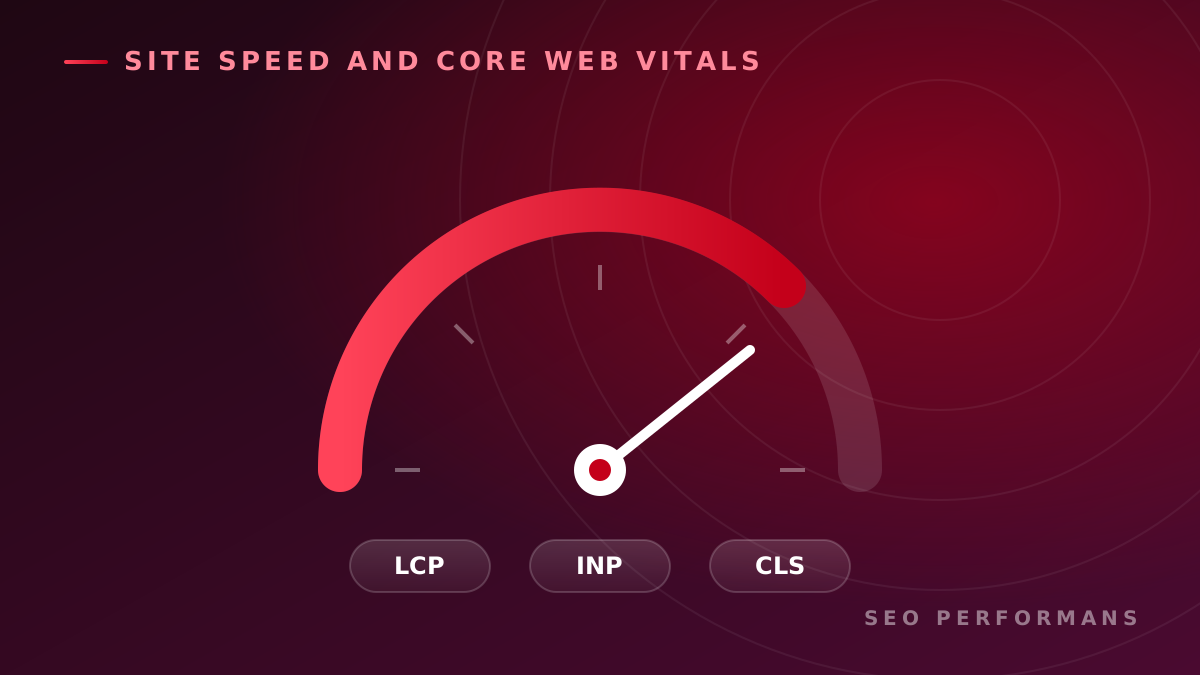
Largest Contentful Paint
Largest Contentful Paint measures how long it takes for the main content area of a page to be displayed to the user. A large image, a heading area, or a content block can be the key element for this metric.
Common causes of slow LCP values:
- Large, unoptimized images
- Slow server response
- Unnecessary JavaScript files
- Late loading of external fonts
- Critical resources being requested in the wrong order
Interaction to Next Paint
Interaction to Next Paint evaluates how quickly the page responds visually to a user's clicks, taps, or keyboard interactions.
Poor interaction performance mostly arises from the following:
- Long-running JavaScript tasks
- Heavy use of the main thread
- Unnecessary third-party code
- Complex components
- Too many tasks running at the same time
Cumulative Layout Shift
Cumulative Layout Shift measures unexpected movement of content while a page loads. When a button shifts to another position just as the user is about to tap a link, it creates a poor mobile experience.
To reduce layout shifts, you should define fixed dimensions for images and ad slots and reserve space in advance for dynamic content.
Server response time
The time it takes the server to produce the first response affects the entire page loading process. Inadequate infrastructure, inefficient database queries, a lack of caching, or a distant server location can increase response time.
Organic performance metrics
Alongside technical metrics, business results should also be tracked:
- Mobile organic impressions
- Mobile organic clicks
- Keyword rankings
- Organic click-through rate
- Mobile landing page traffic
- Form and purchase conversions
- Engagement per user
- Exit rate from target pages
The real value of technical improvements should be assessed together with their impact on organic visibility and user behavior.
10 Common Issues That Hurt Mobile SEO Performance
1. Large, unoptimized images
High-resolution images can make pages load slowly on mobile connections. Images should be served in appropriate sizes, modern formats should be used, and offscreen images should be lazy loaded when needed.
2. Excessive JavaScript use
Unused or long-running JavaScript tasks delay the moment a page becomes ready for interaction. In particular, the processing power of mobile devices can be more limited than that of desktop computers.
3. Slow server and infrastructure
Front-end optimizations alone are not enough if the server responds late. Server configuration, caching, the database, and the content delivery approach should be examined together.
4. Important content hidden on mobile
When service descriptions, links, or product information that exist on desktop are removed from the mobile version, search engines may evaluate the scope of the page incompletely.
5. Small or closely spaced tap targets
Small buttons and links cause users to tap the wrong area. Menus, filters, and form fields in particular should be designed so they can be used comfortably with a finger.
6. Hard-to-read text
Small font sizes, long paragraphs, and insufficient line spacing make mobile reading difficult. Content should be broken into short sections and the visual hierarchy should be clear.
7. Content that overflows the screen
Fixed-width tables, large images, or faulty components can cause horizontal scrolling. This issue should always be tested on different screen sizes.
8. Pop-ups that disrupt the user experience
Windows that cover most of the screen or can't be closed easily prevent users from accessing the main content. Campaign and form messages should be presented without undermining the purpose of the page.
9. Complex forms
It's hard to complete forms with many fields on mobile devices. Only necessary information should be requested, appropriate keyboard types should be used, and error messages should be displayed clearly.
10. Faulty redirects and broken links
When mobile users are redirected to irrelevant pages or run into broken links, both user experience and crawlability suffer.
How to Improve Mobile SEO Performance
1. Measure the current situation
In the first stage, technical performance, organic traffic, and user behavior should be analyzed together. Not only the homepage but also the service, category, product, and content pages that receive the most traffic should be reviewed.
Lab tests help find technical issues under controlled conditions. Real user data, on the other hand, shows the experience visitors have across different devices and connection conditions. A sound analysis uses both types of data together.
2. Prioritize pages by business value
Instead of optimizing all pages at once, start with pages that have high visibility and conversion potential.
Pages that can be prioritized:
- Those with high impressions but low clicks
- Those ranking close to the first page
- Those receiving heavy mobile traffic
- Service pages that generate revenue or leads
- Those with clearly weak technical performance
- Pages where users abandon the process
This approach allows optimization work to produce measurable results in a shorter time.
3. Optimize image sizes and formats
Images should not be loaded at a size much larger than the one they will be displayed at. Different sizes suited to mobile and desktop devices can be served.
Important images should load first, while content at the bottom of the screen can be lazy loaded. However, lazy loading the main image of a page can hurt perceived loading speed.
4. Organize the loading order of critical resources
The CSS, fonts, and images needed to render the first visible part of the page should be prioritized. Unused code should be removed or deferred until it is needed.
The goal is not just to reduce total file size but to show the content that matters to the user as quickly as possible.
5. Reduce the JavaScript load
Unused libraries, duplicated components, and heavy third-party code should be identified. Large tasks can be split into smaller ones, and unnecessary code can be deferred until after the page has loaded.
Although chat tools, ad scripts, analytics systems, and personalization solutions are each useful on their own, they can slow down mobile performance when loaded at the same time. The value each tool provides and the load it creates should be evaluated together.
6. Improve server performance
Caching, database optimization, a content delivery network, and appropriate server resources can reduce the initial response time.
On dynamic pages, you should determine which content can be cached and apply a secure approach for personalized or user-specific data.
7. Improve the mobile content experience
Mobile users want to find the information they're looking for quickly. The main topic of the page and the value it offers should be explained clearly in the first section.
When structuring content:
- Short paragraphs should be used
- Descriptive subheadings should be added
- Important information should be presented near the top of the page
- Long tables should be adapted to mobile screens
- Meaningful internal links to related pages should be provided
- Repetitive, low-value text should be reduced
- CTA areas should be placed at natural decision points
8. Fix technical SEO errors
Crawling and indexing issues should also be checked during mobile performance work.
The areas to review are:
- Broken pages
- Faulty redirect chains
- Duplicate content
- Canonical errors
- Missing or incorrect robots directives
- Resources that can't be accessed on the mobile version
- Sitemap issues
- Structured data errors
- Empty or duplicated titles
- Weak internal linking structure
Technical speed gains may not fully translate into organic visibility if pages can't be properly crawled and indexed by search engines.
9. Simplify conversion steps
The goal of SEO is not just to gain traffic. Mobile visitors need to be able to easily complete actions such as requesting a quote, calling, purchasing, or submitting a form.
Form fields should be reduced, phone numbers should be tap-to-call, and primary action buttons should use clear wording. Trust elements that mobile users need should also be placed close to the decision point.
10. Monitor results regularly
The impact of technical changes may not be visible immediately or to the same degree on every page. For this reason, performance work should be tracked with before-and-after comparisons.
A monitoring plan may include the following:
- Technical performance metrics
- Mobile organic impressions and clicks
- Ranking changes
- Traffic to organic landing pages
- Conversion rates
- Error logs
- The performance impact of new releases
Every new feature, tracking code, or design component added to the website can change performance. That's why mobile SEO is not a one-time effort but a process that must be managed continuously.
A Hands-On Case Approach: How to Optimize a Service Page
The example below is a representative scenario prepared to show how a mobile performance project can be approached.
Starting point
A B2B service page receives high impressions in mobile searches but doesn't generate the expected traffic or form requests. The initial review identifies the following issues:
- The page's main image is larger than necessary for mobile.
- Unused JavaScript files delay the page load.
- The core benefit of the service isn't clearly explained above the fold.
- The form has more fields than necessary.
- The CTA appears only at the end of the page.
- Some internal links aren't visible on the mobile version.
Work carried out
The technical and content teams carry out the following improvements together:
- The main image is re-prepared for different screen sizes.
- Unused code is removed and non-critical files are deferred.
- The core value offered by the service is explained clearly in the first screen area.
- The content is restructured around users' search intent.
- Form fields are limited to only the necessary information.
- Internal links are made equal on mobile and desktop.
- In-page CTA areas are placed at users' decision points.
- Technical results and conversions are monitored regularly.
Expected results
As a result of this kind of work, you can expect:
- Faster display of the main content
- Smoother user interactions
- A lower tendency to leave the mobile page
- An increase in organic clicks and engagement
- A higher form completion rate
- Stronger visibility of the service page for target queries
.
Keep in mind that actual results will vary depending on the level of competition, the site's current state, and the scope of the changes implemented. For this reason, every project should be evaluated against its own baseline data.
What Should a Mobile SEO Audit Cover?
A comprehensive mobile SEO audit shouldn't consist only of scores produced by automated tools. The audit should address the following topics together:
- Mobile page speed
- Core Web Vitals metrics
- Server and infrastructure status
- JavaScript and CSS usage
- Image optimization
- Crawling and indexing
- Mobile and desktop content consistency
- Internal linking structure
- User experience
- Form and conversion flows
- Organic traffic and ranking data
- Competitors' mobile performance
- A prioritized improvement roadmap
At the end of the audit, the severity, expected impact, and implementation difficulty of each finding should be stated. This way, businesses can direct their resources to the work that delivers the most value.
Common Mistakes in Mobile SEO Performance Work
Optimizing only the homepage
Organic visitors often enter the site through service, product, category, and blog pages. The analysis needs to cover all important landing pages.
Focusing on a single tool score
A performance score can be useful for diagnosis, but it doesn't show business results on its own. Real user data, organic visibility, and conversions should be evaluated together.
Assuming nothing can change without breaking the design
Many performance issues can be solved without completely changing the visual design. The way images are served, the code load, and the order of resources can all be improved.
Removing the measurement tools needed for performance
Removing analytics and marketing tools without control can lead to data loss. First, the business value of each tool should be determined, and then unnecessary or duplicated code should be reduced.
Treating mobile SEO as a one-time project
New campaigns, plugins, and content added to the site can change performance over time. Without regular monitoring, old problems can resurface.
What Does Mobile SEO Performance Bring to Businesses?
Properly planned mobile SEO work can deliver the following benefits:
- Stronger organic visibility in mobile searches
- Faster, more usable pages
- Lower user drop-off
- More qualified organic traffic
- An increase in form and sales conversions
- Higher returns from marketing investments
- A more accessible digital experience
- A performance advantage over competitors
The value of performance optimization is not just a faster website. The real goal is to help users reach the information they need more easily and get in touch with the business with fewer obstacles.
Conclusion
Mobile SEO performance is a comprehensive field in which page speed, technical SEO, user experience, content accessibility, and conversion optimization are managed together.
An effective optimization process starts by measuring the current situation. Pages with high business value are then prioritized, technical and content issues are fixed, and results are tracked with real user data.
SEO Performans helps you evaluate your website's mobile visibility and user experience with a technical, content, and conversion-focused approach and build an actionable improvement roadmap.
Request a Free SEO Audit to boost your mobile visibility and identify performance issues.
Frequently Asked Questions
What is mobile SEO performance?
Mobile SEO performance refers to a website being fast, usable, crawlable, and correctly understood by search engines on mobile devices.
Does mobile site speed affect SEO?
Page experience and speed metrics are part of mobile SEO evaluation. However, organic performance doesn't depend on speed alone; content quality, search intent, technical structure, and site authority also affect results.
How long does a mobile SEO audit take?
The timeframe varies with the size of the site, page types, the technology used, and data sources. On a small site, core issues can be identified more quickly, while large e-commerce and corporate sites require a more comprehensive review.
When does mobile SEO optimization deliver results?
The impact of technical improvements on user experience can be measured once they're published. Changes in organic visibility, however, appear over time depending on search engines recrawling the pages, competition, and the site's current state.
Is responsive design enough for mobile SEO?
No. Responsive design ensures screen compatibility, but page speed, content accessibility, technical SEO, and the conversion experience must be evaluated separately.
Can mobile SEO work increase conversions?
Faster pages, simple forms, and clear actions can help users complete tasks more easily. That said, conversion growth also depends on other factors such as the quality of the offer, traffic quality, and page content.