 Türkçe
 English
 Deutsch
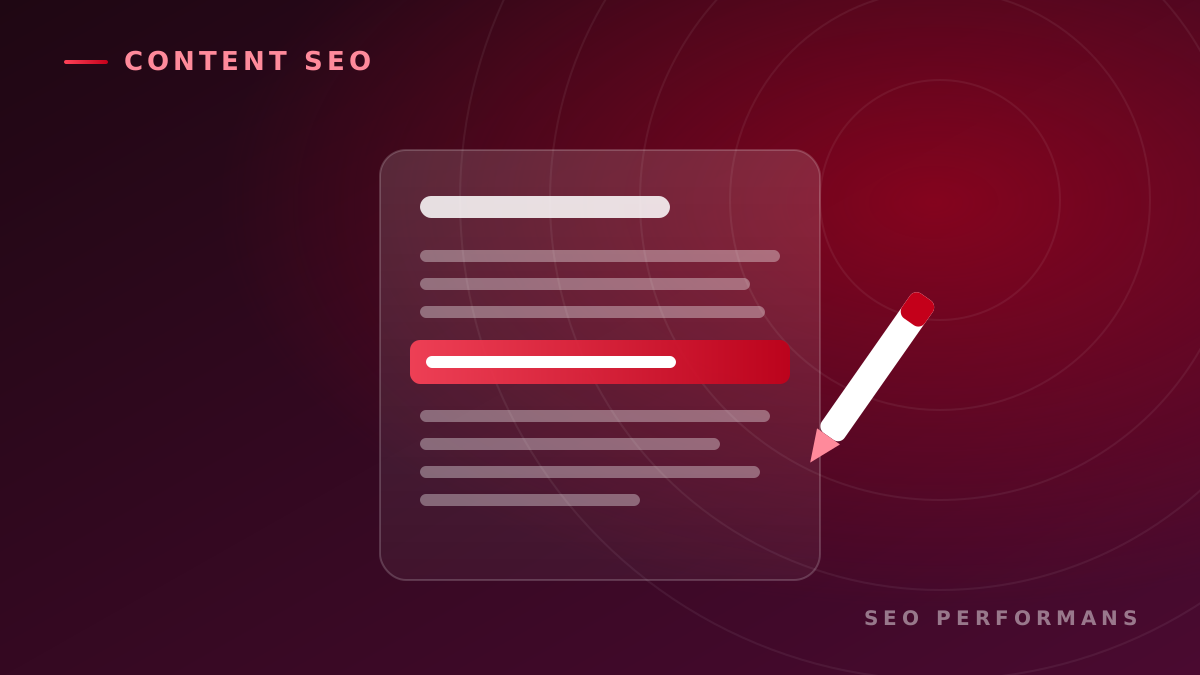
Simply producing content online is no longer enough. Among the thousands of blog posts, product pages and guides published every day, content has to meet both users' expectations and the criteria search engines use to evaluate it in order to be visible.
This is where content optimization comes in. Content optimization is the full set of improvements made to existing or new content so that it reaches the right users, appears in search results and guides visitors toward the intended action.
Successful optimization is not just about adding keywords to a text. Search intent, content quality, page structure, user experience, technical compliance and conversion goals must all be evaluated together.
In this guide, we cover in detail what content optimization is, how it is done, what benefits it brings to businesses and how its results can be measured.
What Is Content Optimization?
Content optimization is the process of improving the text, headings, images, links and calls to action on a web page according to user needs and SEO goals.
The main goal is to make sure the content:
- Appears for the right search queries,
- Answers the user's question clearly and sufficiently,
- Is easy to read and understand,
- Is interpreted correctly by search engines,
- Guides the visitor toward the desired action.
Optimization can be done while preparing new content, and it can also be applied to pages that have already been published. In some cases, improving existing content that has already gained some visibility can deliver faster results than creating new content from scratch.
Why Is Content Optimization Important?
Even well-crafted content cannot reach its target audience if it isn't visible in search engines. And content that gets high traffic but doesn't answer the user's need doesn't deliver the expected value to the business.
Content optimization addresses both problems together: visibility and usefulness.
When done correctly, it can offer businesses the following benefits:
- Increases organic search visibility.
- Supports qualified website traffic.
- Makes it easier for users to find the information they are looking for on the page.
- Helps older content retain its value.
- Supports the decision-making process of potential customers.
- Strengthens brand expertise and credibility.
- Can increase conversions such as purchases, form submissions or contact requests.
- Helps you use your content production budget more efficiently.
The real value of content optimization lies not only in bringing more visitors, but in delivering visitors who match the business's goals to the right pages.
The Relationship Between Content Optimization and SEO
SEO is the sum of all the work carried out to improve a website's visibility in organic search results. Content optimization is one of the core components of SEO related to user needs and on-page content.
When evaluating content, search engines don't just look at whether certain words are present. How well the content matches search intent, its topical coverage, page experience, links and trustworthiness also matter.
For this reason, SEO-friendly content:
- Is written for the user.
- Answers a clear search intent.
- Covers the topic comprehensively enough.
- Uses natural, understandable language.
- Is accessible in terms of crawling and indexing.
- Guides the reader to a meaningful next step.
Keyword usage is important, but it should never take priority over the value of the content.
How Is Content Optimization Done?
1. Define the Purpose of the Content
Before starting optimization, you should be clear about which business goal the page supports.
A piece of content can serve one or more of the following purposes:
- Building brand awareness
- Gaining organic traffic
- Promoting a product or service
- Educating users
- Generating leads
- Supporting the purchase decision
- Answering existing customers' questions
When the purpose is unclear, it becomes difficult to choose the right keyword, tone and call to action.
2. Know Your Target Audience
The language and scope of the content should be shaped by the user it addresses. A beginner and an expert decision-maker in the field do not have the same information needs.
During target audience analysis, you can answer the following questions:
- What problem does the user want to solve?
- How much do they already know about the topic?
- Which stage of the decision process are they in?
- What questions and concerns do they have?
- What phrases do they use when searching?
- What step are they expected to take after the content?
This information helps the content speak the same language as the user.
3. Analyze Search Intent
Search intent describes why a user performs a query. There are generally four basic types of search intent:
- Informational: The user is looking for information about a topic.
- Navigational: The user wants to go to a specific brand or website.
- Commercial investigation: The user is evaluating options in order to make a decision.
- Transactional: The user aims to take an action such as buying, signing up or getting in touch.
For example, the query "what is content optimization?" has informational intent. The query "content optimization service" shows a stronger intent to hire a service.
The page's format, depth and call-to-action message should align with search intent.
4. Do Keyword Research
Keyword research helps you understand the phrases your target audience uses and the needs behind them.
During research, you shouldn't focus only on high search volume. The following factors should be evaluated together:
- Search intent
- Relevance to the topic
- Level of competition
- Conversion potential
- Position in the user journey
- Connection to the business's products and services
In addition to the main keyword, you should also identify related phrases that represent subtopics and user questions. However, these words should not be inserted into the text artificially.
5. Review the Search Results
Reviewing the pages that appear for your target queries provides important insight into user expectations.
During the analysis, you can look at the following:
- Which content formats stand out?
- Which questions do the pages answer?
- Which subheadings are commonly covered?
- What are the strengths and gaps of the content?
- Are images, tables, lists or videos used?
- What action do they guide the user toward?
The goal is not to copy competitor content, but to understand user expectations and create a clearer, more useful and more original resource.
6. Plan the Content Structure
Long, disorganized text makes it harder for users to find information. Content should be divided into sections with a logical heading hierarchy.
An effective content structure:
- Has a single main heading that explains the page's topic.
- Separates main sections with second-level headings.
- Organizes details with subheadings.
- Keeps paragraphs short and clear.
- Uses lists and tables when needed.
- Doesn't hide the most important information behind an unnecessary introduction.
A good structure makes it easier both for users to scan the page and for search engines to understand topical relationships.
7. Create an SEO-Friendly Title
The page title is one of the most important elements users see in search results. It should clearly describe what the content offers and set the right expectations for the click.
A good SEO title:
- Expresses the main topic clearly.
- Includes the main keyword where possible.
- Shows the benefit the page offers.
- Avoids exaggerated or misleading wording.
- Stands out from similar content.
- Is kept at a length that can be read in search results.
The promise made in the title must be fulfilled in the content.
8. Improve the Meta Description
A meta description doesn't directly guarantee a ranking, but it can help users understand the page's content and decide whether to click.
An effective meta description:
- Summarizes the page's main benefit.
- Uses the keyword naturally.
- Tells the user why they should visit this page.
- Gives a call to action consistent with the content.
- Differs from the descriptions of other pages on the same site.
Keep in mind that, for some queries, search engines may generate a description different from the one on the page.
9. Strengthen the Introduction
When a user lands on a page, they should quickly understand that they are in the right place. The introduction should clearly state the problem, the scope of the content and the benefit the reader will gain.
Long brand introductions or openings unrelated to the topic can cause users to leave the page. The main topic of the content should be addressed as early as possible.
10. Add Depth to the Content
Length alone is not an indicator of quality. The topic should be covered comprehensively enough to meet the user's need and focused enough to avoid unnecessary repetition.
To strengthen the content, you can:
- Explain key concepts.
- Provide implementation steps.
- Address common mistakes.
- Share use cases.
- Prepare comparison tables.
- Draw on real or representative examples.
- Explain measurement methods.
- Answer frequently asked questions.
Each section should give the reader new information or decision support.
11. Use Keywords Naturally
The main keyword can be used naturally in the page title, introduction, a suitable subheading and relevant parts of the text. Related phrases help broaden the topical coverage.
Repeating the same word unnecessarily often hurts readability. Instead of trying to reach a certain keyword density percentage, aim for a clear and natural expression for the user.
12. Add Internal and External Links
Internal links guide users to related content or service pages. They also help search engines understand the site structure and discover new pages.
When adding internal links:
- Choose pages that are genuinely related to the topic.
- Make sure the anchor text describes the target page.
- Don't fill every paragraph with unnecessary links.
- Support important service and category pages.
- Check for broken links regularly.
Links to reliable external sources, on the other hand, can support claims such as statistics, research or technical information.
13. Optimize Images
Images can make content easier to understand, but large, unoptimized files hurt page speed.
In image optimization:
- Use an appropriate file format.
- Prepare images at the size they will be displayed.
- Reduce file size while preserving quality.
- Prefer descriptive file names.
- Write alt text that explains the meaning of the image.
- Lazy-load images that are off-screen.
Alt text should be written to inform users who can't see the image, not to stuff in keywords.
14. Improve Readability
Readability doesn't just mean using short sentences. Information needs to be presented clearly, in an organized way and in a manner suited to the target audience.
To improve readability, you can:
- Break up long paragraphs.
- Explain complex terms.
- Reduce passive and indirect phrasing.
- Make use of lists.
- Highlight important information.
- Remove unnecessary repetition.
- Check how the content looks on mobile screens.
Content should let users find the information they're looking for with minimal effort.
15. Add Trust and Expertise Signals
Especially in fields that require expertise, such as health, finance, law and technology, the source of the content matters.
To build trust, you can:
- Share author or expert information.
- Show the content's last updated date.
- Cite the sources used.
- Provide real experiences and examples.
- Avoid exaggerated promises of results.
- Make company and contact information easy to find.
Users should be able to tell who prepared the content and what knowledge it is based on.
16. Use the Right CTA
Content shouldn't just provide information; it should also suggest a logical next step to the user. This prompt is called a call to action, or CTA.
Depending on the purpose of the content, CTA examples might include:
- Get a quote
- Schedule a free initial consultation
- Read the related guide
- Request a demo
- Subscribe to the newsletter
- Compare products
- Contact the expert team
The CTA should match the user's decision stage. Instead of pushing a direct purchase on someone who is looking for information, offering a guide, an analysis or an initial consultation can be more effective.
How to Optimize Existing Content
Content optimization isn't only about producing new content. Updating older pages can help you make better use of existing organic value.
Create a Content Inventory
List the blog posts, category pages, service pages and guides on your site. For each page, you can record traffic, impressions, clicks, conversions and freshness information.
Group Your Content
Existing content can be classified as follows:
- Content to keep: Pages that perform well and are up to date
- Content to update: Pages with potential that are incomplete or outdated
- Content to merge: Similar pages targeting the same purpose
- Content to remove: Pages that create no value and can't be updated
- Content to rewrite: Pages with a valuable topic but an inadequate structure
This classification helps direct the content budget to the areas with the highest potential.
Identify Pages with Quick-Win Potential
For pages that appear in search results but don't get enough clicks, the title and meta description can be improved. For content ranking close to the first page, coverage, internal linking and freshness can be strengthened.
For pages that get high traffic but don't generate conversions, the offer, CTA and user journey should be reassessed.
Refresh Outdated Information
Old statistics, changed product features, methods that are no longer used and broken links can reduce the credibility of content. During an update, you shouldn't just change the date; make sure the page has genuinely been refreshed.
Content Optimization Use Cases
Blog Posts with Declining Organic Traffic
Content that once received traffic but has declined over time can be reviewed for freshness, competitor coverage, search intent and technical issues. By filling in missing sections and adding up-to-date information, the page can be strengthened again.
Pages with Impressions but Few Clicks
For pages that appear often in search results but get few clicks, the title, meta description and alignment with search intent should be evaluated. Presenting the user with a clearer value proposition can support click-through rate.
Content That Gets Traffic but Doesn't Convert
If a page attracts the right audience but doesn't generate forms, quote requests or sales, the user journey should be reviewed. The CTA's placement, the relevance of the offer and the transition to the service page can be improved.
Competing Content
Multiple pages targeting the same or very similar queries can make it difficult for the search engine to understand which page it should show. These pages can be separated according to different search intents or merged into a single, strong page.
Promoting a New Product or Service
For a new offering, preparing only a sales page may not be enough. Informational content that starts from the user's problem and explains solution options can support the decision process and send qualified traffic to the service page.
E-Commerce Category and Product Pages
Category descriptions, product information, comparisons and frequently asked questions can make the purchase decision easier. Instead of duplicate manufacturer descriptions, you should create original content focused on user needs and the product's real features.
The Value Content Optimization Brings to Businesses
When planned correctly, content optimization produces tangible business value, not just SEO metrics.
Increases the Value of Existing Investment
Updating content that was prepared earlier extends the return on the time and budget spent producing it. The business doesn't have to create content from scratch for every goal.
Brings Qualified Traffic
Content that targets the right search intent can attract users who are genuinely interested in the product or service. The conversion likelihood of these visitors is more valuable than that of irrelevant high traffic.
Supports the Sales Process
Comparisons, use cases and frequently asked questions can reduce customers' concerns. Sales teams can also share the content with potential customers as a resource.
Can Lower Customer Acquisition Cost
Organic content can keep generating non-advertising traffic over the long term. This can help reduce dependence on paid channels and lower the average customer acquisition cost.
Strengthens Brand Trust
Content that answers users' questions clearly and impartially helps the business demonstrate its expertise in its field.
What Determines the Cost of Content Optimization?
The cost of content optimization varies depending on the number of pages, the competitiveness of the industry and the scope of work required.
The main factors affecting cost are:
- The number of pieces of content to be optimized
- The current quality level of the content
- The scope of keyword and competitor research
- The level of expertise the topic requires
- The need for new images or media
- Technical SEO adjustments
- Implementation support in the content management system
- Reporting and performance tracking
- The need for multilingual content
- The approval and revision process
When evaluating the service, you shouldn't compare prices based only on word count. You should check whether research, strategy, content quality, implementation and measurement processes are included in the scope.
How Are Content Optimization Results Measured?
Success should be measured using metrics that align with the purpose of the content.
SEO Metrics
- Organic impressions
- Organic clicks
- Click-through rate
- Visibility for target queries
- Number of indexed pages
- Organic landing page traffic
User Behavior Metrics
- Time on page
- Clicks on in-content links
- Scroll depth
- Engagement rate
- Navigation to the next page
- On-site search behavior
Conversion Metrics
- Form submissions
- Quote requests
- Phone or message clicks
- Demo requests
- Newsletter subscriptions
- Add-to-cart actions and sales
- Organic revenue
Data from before the optimization should be recorded and, after enough time has passed, compared against periods under the same conditions. Seasonality, campaigns and site-wide changes should be taken into account when interpreting the results.
Common Mistakes in Content Optimization
The mistakes businesses encounter most often are:
- Writing only for search engines instead of users
- Repeating keywords unnecessarily often
- Not analyzing search intent
- Copying competitor content
- Focusing only on high search volume
- Making every topic longer than necessary
- Not updating old content
- Targeting the same purpose on multiple pages
- Ignoring internal links
- Not checking mobile readability
- Not using a CTA
- Continuing to produce new content without measuring results
Content optimization is not just text editing; it is an ongoing process in which research, user experience, SEO and a conversion-focused approach are managed together.
Content Optimization Checklist
Before publishing or updating a piece of content, you can check the following questions:
- Is the purpose of the content clear?
- Has the target user been defined?
- Has search intent been analyzed correctly?
- Have the main and related keywords been identified?
- Is the title clear and engaging?
- Does the meta description explain the page's benefit?
- Does the content answer the user's main question early?
- Is the heading hierarchy correct?
- Is the information up to date and reliable?
- Has unnecessary repetition been removed?
- Have relevant internal and external links been added?
- Have images been optimized?
- Has the mobile view been checked?
- Is there an appropriate CTA?
- Have measurement goals been defined?
How Often Should Content Optimization Be Done?
Not all content needs to be updated with the same frequency. Update priority should be determined by the content's topic, performance and business value.
Optimization can be carried out in the following situations:
- When organic traffic or visibility starts to decline
- When the information in the content becomes outdated
- When users' search behavior changes
- When new products or services are added
- When competitors publish more comprehensive resources
- When content gets traffic but doesn't generate conversions
- When the site structure or brand messaging changes
Regular content audits make it possible to detect low-performing pages and new opportunities early.
Conclusion
Content optimization is much more than adding keywords to a text. It involves understanding the user's need, targeting the right search intent, presenting information in an accessible way and guiding the visitor to a next step aligned with the business's goals.
A successful content optimization process:
- Defines business and user goals.
- Analyzes search behavior.
- Develops the content with the right structure and scope.
- Addresses SEO and user experience together.
- Measures results with traffic, engagement and conversion data.
- Continuously improves based on performance.
To improve your existing content in terms of organic visibility, user experience and conversion potential, you can contact the Seo Performans experts and build a content optimization roadmap tailored to your business.
Frequently Asked Questions
What is the difference between content optimization and content creation?
Content creation is the process of preparing new text, images or video. Content optimization is the improvement of new or existing content in line with visibility, user experience and conversion goals.
How long does content optimization take to show results?
The time to results depends on the site's current strength, the level of competition, the state of the content and how long search engines take to re-evaluate the page. Some improvements can show an effect quickly, while competitive niches may require a longer monitoring period.
Should old blog posts be deleted?
Not every low-performing piece of content should be deleted. The page's links, past traffic, topical value and update potential should be reviewed. The content can be updated, merged with a similar page, or removed with an appropriate redirect.
How many times should a keyword be used in content?
There is no fixed number that applies to all content. The keyword should be used naturally in the title, introduction and relevant sections, and repetition should not harm readability.
Do longer content pieces rank better?
Content length alone is not a guarantee of ranking. Content should answer the user's question with sufficient coverage and avoid unnecessary detail.
Can content created with AI be optimized?
Yes. However, the content should be reviewed by a human for accuracy, originality, brand voice, user value and expertise. Automatically generated text should not be published as-is.
How can you tell whether content optimization has been successful?
Organic impressions, clicks, visibility for target queries, user engagement and conversion data should be evaluated together. Success metrics should be defined in line with the content's business goal.