Türkçe
 English
 Deutsch
Your website may have an impressive design, strong content and competitive products. But if visitors leave before the page even opens, none of these advantages will deliver meaningful results.
A slow website does more than hurt the user experience. Organic visibility, conversion rate, advertising efficiency and brand perception can all be directly affected by site performance.
So what is site speed optimization, which metrics measure it, and where should businesses start to build a faster website?
In this guide, we will cover site speed optimization from a business-goals perspective and through a real case-study approach, without getting lost in technical details.
What is site speed optimization?
Site speed optimization is the set of technical improvements that help a web page reach the user faster, become usable sooner and remain stable during interaction.
Optimization is not only concerned with how many seconds a page takes to open. It also looks at when users see the main content, how quickly the site responds when they click a button, and whether elements shift around while the page loads.
A comprehensive site speed project usually covers the following areas:
- Improving server response time
- Serving images in the right size and format
- Optimizing CSS and JavaScript files
- Configuring browser and server caching
- Removing unused code
- Controlling third-party tools
- Improving database and application performance
- Evaluating the use of a CDN
- Fixing mobile performance issues
- Improving Core Web Vitals metrics
The goal is not just to get a high score in a testing tool. The real objective is to give actual users a faster, smoother experience.
Why does site speed matter for SEO?
Search engines want to give users helpful content along with a good page experience. A fast and stable website is one of the key parts of that experience.
The impact of site speed on SEO shows up in several different areas.
It helps keep users on the page
Slow-loading pages can cause users to leave before they see the content. On mobile connections in particular, even a delay of a few seconds can send a visitor to a competitor's site.
A faster experience can reduce bounce behavior, increase time on page and encourage users to visit more pages.
It can improve crawl efficiency for search engines
A slow server response can cause search engine bots to crawl fewer pages within a given time. This matters especially for large websites with thousands of products or content pages.
Fast server responses and a sound technical structure can help search engines crawl the site more efficiently.
It improves Core Web Vitals performance
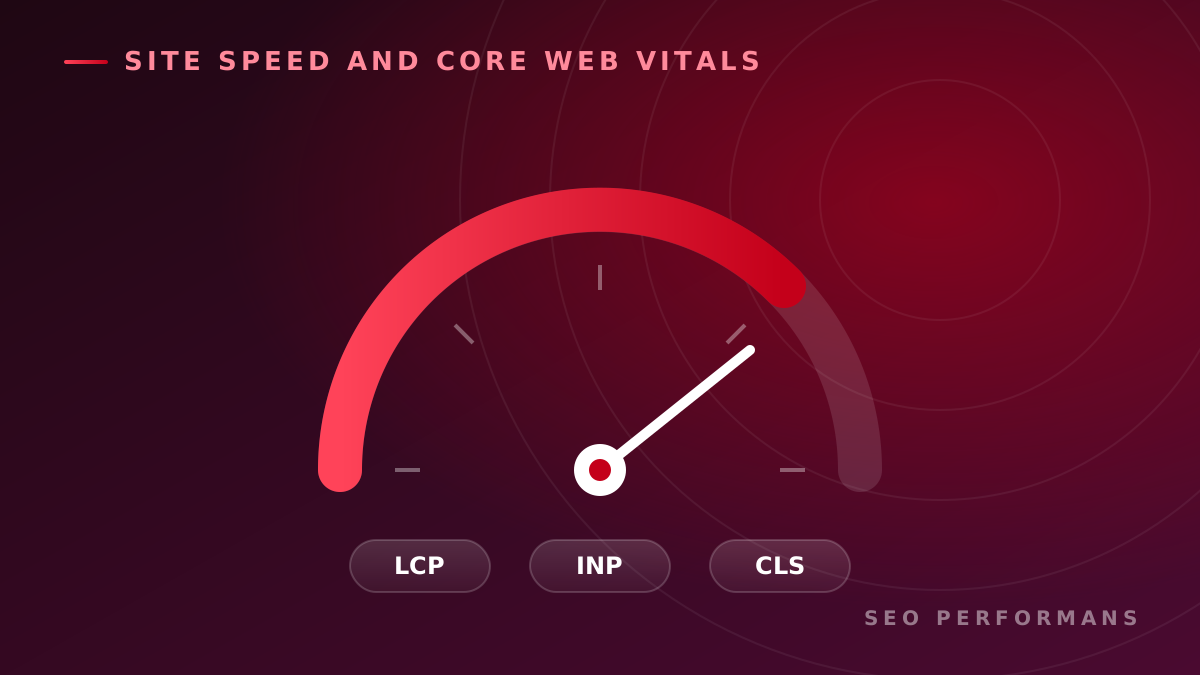
Core Web Vitals metrics are among the signals Google uses to evaluate page experience. These metrics measure loading performance, interaction speed and visual stability.
Site speed alone does not guarantee top rankings. However, among sites with similar content and authority, a better user experience can create a significant competitive advantage.
It strengthens conversion potential
The goal of SEO is not only to gain traffic. Visitors need to fill out a quote form, buy a product or get in touch with the business.
A fast website reduces the friction users encounter during these actions. As a result, organic traffic can turn into more leads and sales.
The impact of site speed on businesses
Performance problems are often treated as something only the technical team needs to solve. In reality, slowness can directly affect business results.
A slow site can lead to the following problems:
- Potential customers leaving before the page opens
- Inefficient use of ad traffic
- Higher cart and form abandonment rates
- Lost mobile users
- Stagnant organic visibility
- Weakened brand trust
- Higher customer acquisition costs
For example, if a landing page that visitors reach through ads loads slowly, the business pays for the click while the user leaves without ever seeing the offer. In that case, the problem is not just speed but an inefficient use of the marketing budget.
How is site speed measured?
For a reliable analysis, you should not rely on a single tool or score. Lab tests and real user data should be evaluated together.
Lab data
Lab tests provide repeatable measurements under specific device and connection conditions. They are useful for identifying the technical causes of problems.
Common tools include:
- Google PageSpeed Insights
- Lighthouse
- Chrome DevTools
- WebPageTest
- GTmetrix
The scores from these tools are useful indicators, but they are not a measure of success on their own. Test location, device power and connection conditions can change the results.
Real user data
Real user data shows how visitors experience the site across different devices and connections. This data can differ from lab test results.
For example, a page that looks fast on a powerful computer may suffer serious interaction delays on an older mobile device. That is why optimization decisions should be based on real user experience whenever possible.
What are the Core Web Vitals metrics?
Core Web Vitals are metrics that measure the key aspects of the experience users have on a page.
LCP: Largest Contentful Paint
LCP measures how long it takes for the main content in the viewport to load. This element is often a large image, a heading area or a content block.
Common causes of high LCP values:
- Large, uncompressed images
- Slow server response
- Render-blocking resources
- Late-loading fonts
- Unnecessary client-side processing
INP: Interaction to Next Paint
INP evaluates how quickly a page responds visually after a user interaction such as a click or tap.
Poor INP performance is usually caused by long-running JavaScript tasks, heavy components and unnecessary third-party code.
CLS: Cumulative Layout Shift
CLS measures unexpected shifts in content while the page loads.
A bad CLS experience is when an ad loads just as the user is about to press a button, pushing the button down. Not reserving space for images, dynamic content and late-loading fonts can cause this problem.
Why do websites slow down?
Every website has a different technical structure. Even so, most performance problems fall under a handful of causes.
Unoptimized images
Oversized images can significantly increase page weight. Sending a high-resolution image prepared for desktop to mobile devices at the same size results in unnecessary data consumption.
As part of the solution:
- Images should be prepared at the right dimensions,
- Appropriate compression should be applied,
- Modern formats such as WebP or AVIF should be considered and used,
- Offscreen images should be lazy loaded,
- The right image size should be served for each device.
Excessive JavaScript use
Downloading JavaScript files is not enough; the browser also has to parse and execute that code. Excessive or inefficient JavaScript can leave the page unresponsive for a long time, especially on low-end mobile devices.
Removing unused code, loading files only when needed and breaking up long tasks can improve performance.
Heavy themes and plugins
Themes and plugins used in ready-made content management systems can load many files along with features you do not need.
Every plugin does more than add a new feature; it can also create extra database queries, JavaScript files, stylesheets and security risks. For this reason, you should evaluate the actual load each plugin creates rather than just the number of plugins.
Inadequate server infrastructure
When the server is slow to respond to a request, every subsequent loading stage is delayed. Limited resources, misconfiguration, a distant server location or inefficient application code can cause high response times.
Moving to a more expensive server is not always a lasting fix. First, you need to determine whether the delay comes from the infrastructure, the application code or the database.
Incorrect cache configuration
Re-downloading files that never change on every visit creates unnecessary traffic and waiting time. When browser caching and server-side caching are used correctly, repeat visits can become significantly faster.
Third-party tools
Live chat systems, ad scripts, analytics tools, video components and social media plugins can affect performance.
All of these tools may be necessary for the business. The goal of optimization is not to remove them all; it is to determine the right loading strategy by weighing business value against performance cost.
How is site speed optimization done?
An effective optimization effort starts with measurement and prioritization, not with installing random plugins.
1. Baseline performance is measured
First, the critical pages are identified:
- Home page
- Service pages
- Product and category pages
- Blog content
- Campaign and ad pages
- Contact or quote forms
Each page is tested under mobile and desktop conditions. Core Web Vitals results, server response, total page size and number of requests are recorded.
2. Performance bottlenecks are found
The problem should not be defined simply as "the site is slow." The real cause of the delay needs to be uncovered.
For example, the problem could be:
- The hero image loading late,
- The server responding slowly,
- JavaScript blocking the main thread,
- Database queries taking too long,
- Font files arriving late,
- Code piling up in the tag management system.
3. Priorities are set by business impact
Not every technical issue has the same commercial importance. A performance problem on a heavily visited service page should be addressed before an old blog post with no traffic.
When prioritizing, the following questions are asked:
- How many users does the problem affect?
- Does it occur on pages that receive organic traffic?
- Does it interrupt the conversion journey?
- Is it more noticeable for mobile users?
- What is the cost of implementing the fix?
- How high is the expected commercial contribution?
4. Technical improvements are implemented
Depending on the identified issues, image optimization, code adjustments, cache configuration, CDN integration or infrastructure improvements are applied.
Changes should be made in as controlled a way as possible. Aggressive compression, deferral or concatenation can break the site's design and functionality.
5. Results are measured again
After optimization is complete, the same pages are tested again under the same conditions. Before and after values are compared.
In addition to technical metrics, the following business indicators should also be tracked:
- Organic sessions
- Bounce and engagement rates
- Form submissions
- Add-to-cart and purchase rates
- Mobile conversions
- Ad landing page performance
6. Performance is monitored continuously
Site speed is not a one-time project. New content, images, plugins and analytics scripts can bring performance down again over time.
For this reason, the cycle of measurement, improvement and monitoring should continue.
Case study approach: How to handle a performance problem
Let's imagine a service business whose website receives organic traffic but does not generate enough quote requests.
Suppose the initial review reveals the following problems:
- The large cover image on the mobile landing page loads late.
- Unused theme files are called on every page.
- Live chat and analytics scripts delay the initial load.
- Server response time rises during peak hours.
- Form fields shift while the page loads.
In this case, simply installing a caching plugin will not solve the whole problem. The work can be carried out in the following order:
- The main image is resized and served in a modern format.
- Critical CSS is extracted and unused files are removed.
- Third-party scripts are arranged according to need and loading time.
- Server and database bottlenecks are resolved.
- Space is reserved in advance for form components to reduce layout shifts.
- Mobile pages are retested under real device conditions.
- Form conversions and organic performance are monitored.
In this case-study approach, success is not just a higher performance score. The key success measure is that visitors see the service faster, interact with the page smoothly and complete the quote form.
Common mistakes in site speed work
Looking only at desktop performance
A significant share of users reach websites from mobile devices. A page that works well on desktop can be slow on a mobile connection and on lower-end devices.
Focusing only on the performance score
A high test score is useful, but on its own it does not mean sales or SEO success. Real user experience and commercial results should be evaluated together.
Deferring every file without control
Loading CSS and JavaScript files in the wrong order can cause broken designs, non-working menus or unusable forms.
Trying to make up for poor hosting with plugins
Caching tools can reduce some problems, but they cannot fully fix inadequate infrastructure or inefficient application code.
Not monitoring after optimization
A new ad script, video or plugin can undo all of your performance gains. Without regular monitoring, problems are noticed only after traffic or conversions have already been lost.
How does SEO Performans approach site speed optimization?
In the SEO Performans approach, site speed is not treated as a standalone technical score; it is evaluated together with organic visibility, user experience and conversion goals.
The work process generally consists of the following steps:
- Technical performance analysis of critical pages
- Review of the mobile and desktop user experience
- Identification of Core Web Vitals issues
- Isolating bottlenecks caused by the server, code and content
- Preparing an action plan based on impact and implementation cost
- Providing actionable recommendations to technical teams
- Measuring results after the changes
- Tracking SEO and conversion metrics together
This makes it possible not just to "speed up the site" but to connect speed improvements to the business's growth goals.
Does your site need speed optimization?
If you are experiencing one or more of the following situations, a detailed performance analysis can be helpful:
- Pages open slowly on mobile devices.
- PageSpeed results are consistently low.
- The Core Web Vitals assessment shows as failed.
- You are getting organic traffic but no conversions.
- Ad pages have a high abandonment rate.
- The site occasionally freezes or responds slowly.
- Performance dropped after a new theme or plugin.
- Product and category pages run slowly.
- The technical team does not know which problem to start with.
Pinpointing the source of the problem correctly can prevent unnecessary infrastructure and software spending.
Request a Free SEO Analysis
Would you like to find out the real reason your website is slow and determine which improvements should come first?
With the SEO Performans analysis, let's evaluate your site's technical SEO structure, speed issues and organic growth opportunities together. Let's build an actionable roadmap tailored to your business.
Request a Free SEO Analysis
Frequently Asked Questions
Does site speed optimization affect SEO?
Yes. Site performance can affect user experience, crawl efficiency and Core Web Vitals results. However, for SEO success, factors such as content quality, search intent, site architecture and authority also matter alongside speed.
What should the ideal page load time be?
No single number applies to every site. The goal should be for the main content to appear quickly, for the page to become ready for interaction in a short time and for no visual shifts to occur during loading. The assessment should be backed by real user data.
Does a PageSpeed score have to be 100?
No. A score of 100 may seem like a useful goal, but it is not always necessary or efficient from a business standpoint. The priority is to fix the real performance problems that affect users and conversions.
How do you speed up a WordPress site?
Themes and plugins should be analyzed, images optimized, caching configured correctly and server performance checked. Because every WordPress site is different, you should take a measurement-based approach rather than relying on a standard bundle of plugins.
Does using a CDN make a site faster?
A CDN can reduce load times by serving static content from locations closer to the user. However, it does not solve every application- or server-related performance problem on its own.
How long does site speed optimization take?
The duration varies depending on the size of the site, the technology used and the scope of the problems. Simple image and cache adjustments can be completed quickly, while infrastructure- and application-related issues may require more extensive work.
How do you track optimization results?
Core Web Vitals, real user data and technical tests should be monitored regularly. In addition, business metrics such as organic traffic, engagement, form submissions and sales should be tracked.