Türkçe
 English
 Deutsch
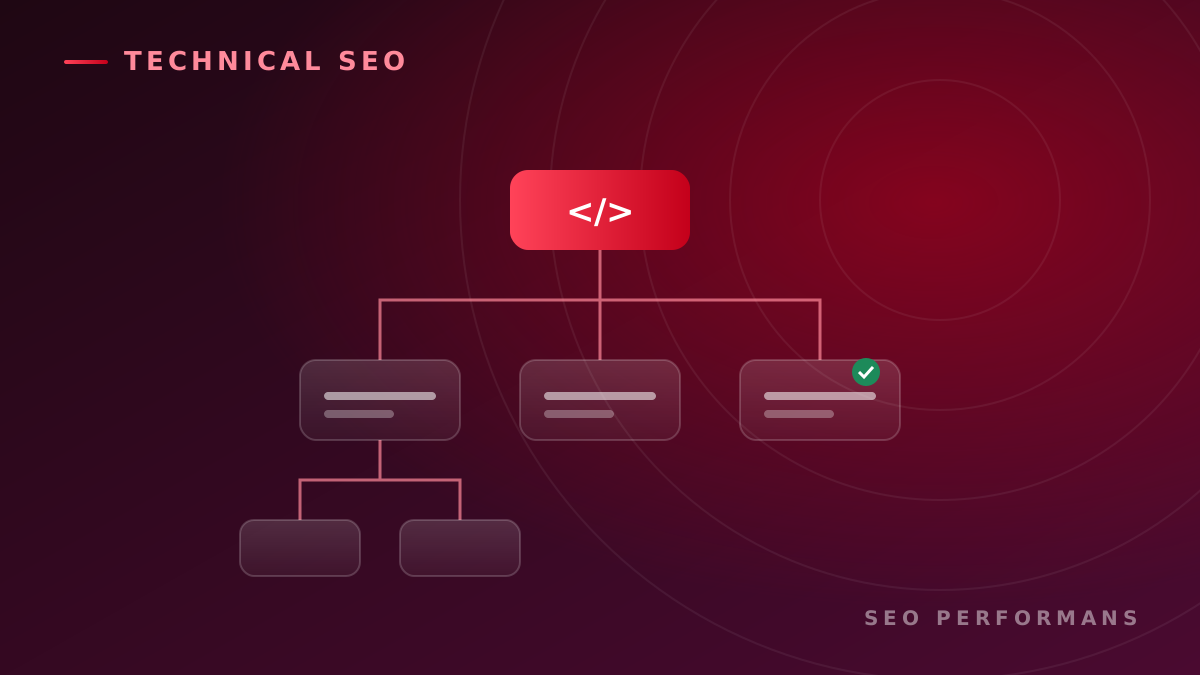
You publish well-crafted content, yet your website still isn't getting the visibility you expected on Google. The cause isn't always content quality or keyword usage. Technical issues that make it harder for search engines to crawl, understand and index your site can directly affect organic performance.
Technical SEO optimization is the full set of work that helps search engines crawl a website more easily, index it correctly, and gives users a fast, secure and accessible experience.
This work goes well beyond a few speed tweaks or creating a sitemap. It requires a systematic review of the website's technical foundation, from site architecture and redirects to JavaScript usage and structured data.
In this guide, we'll cover in detail what technical SEO is, what it includes, why it matters for businesses, and how a professional technical SEO project should be run.
What is technical SEO?
Technical SEO is the optimization process that aligns a website's infrastructure with the way search engines work.
Its main goal is to make sure Google and other search engines can discover, crawl, interpret correctly and index the important pages on the site.
Technical SEO also helps visitors use the site quickly, securely and across different devices.
A successful technical SEO effort answers the following questions:
- Can search engines reach the important pages?
- Is it clearly specified which pages should be indexed?
- Are there URLs with identical or very similar content?
- Does the site architecture reflect the importance of products and services accurately?
- Do pages load quickly and without problems on mobile devices?
- Can search engines see content generated with JavaScript?
- Are old or removed pages redirected to the right URLs?
- Is the structured data consistent with the page content?
- Are language and country targeting set up correctly on international pages?
- Have any technical errors appeared after site updates that could cause traffic loss?
A negative answer to any of these questions can reduce the return on your content and link building efforts.
Why is technical SEO important?
For a web page to appear in search results, it generally has to go through three basic stages:
- The search engine discovers the page.
- It crawls the page and tries to understand its content.
- It adds pages it finds suitable to the index and considers them for relevant searches.
Technical issues can interrupt any stage of this process.
For example, if a service page with high conversion potential carries a noindex tag by mistake, it may not appear in search results even if Google crawls it. If a product category can only be reached through internal site search, the search engine may not discover it easily enough.
Similarly, an e-commerce site that generates a large number of filter URLs can spend most of its crawl budget on low-value pages. Because main product and category pages are visited less often, new content may be discovered later and updates may take longer to be processed.
Technical SEO aims to identify these problems and direct search engines' time and resources to the pages that matter to the business.
What is the difference between technical SEO and content SEO?
Technical SEO and content SEO are not alternatives to each other. They need to work together for organic success.
Content SEO aims to create useful pages that address the topics, questions and keywords your target audience searches for. Technical SEO makes sure those pages are discovered, processed by search engines and evaluated under the correct URL.
Content SEO typically includes the following work:
- Keyword and search intent research,
- Content planning,
- Title and copy optimization,
- Developing category and service pages,
- Organizing internal links within the context of the content,
- Strengthening expertise and trust signals.
Technical SEO, on the other hand, examines the following areas:
- Crawling and indexing,
- Robots.txt and meta robots rules,
- XML sitemaps,
- Canonical tags,
- HTTP status codes,
- Redirects,
- Site architecture,
- Page speed,
- Core Web Vitals,
- Mobile compatibility,
- Content rendered with JavaScript,
- Structured data,
- International SEO tags,
- Log files and server behavior.
On a website with a flawed technical foundation, strong content may fail to gain visibility. A site with weak content, meanwhile, cannot satisfy users' search intent even if it is technically flawless.
What does technical SEO optimization include?
1. Checking crawl accessibility
Search engines discover web pages through automated crawlers. Which URLs those crawlers can access is one of the first checkpoints in technical SEO.
A crawl analysis looks at the following:
- Whether important pages are blocked by robots.txt,
- Whether unnecessary parameter and filter URLs are being crawled,
- Whether there are orphan pages with no internal links,
- Whether page depth makes it harder for users and search engines to reach content,
- Whether server errors interrupt crawling,
- Whether search engines waste resources on low-value pages.
The goal is not for every URL to be crawled without limits. Important pages should be easy to reach, while low-value or duplicate URLs should be kept under control.
2. Resolving indexing issues
A page being crawled doesn't necessarily mean it will be added to Google's index. The page's technical characteristics, content quality, similarity to other URLs and importance within the site can all influence the indexing decision.
An indexing analysis checks the following points:
- Misused
noindextags, - Canonical conflicts,
- Duplicate or highly similar pages,
- Thin and low-value content,
- Pages that may be treated as soft 404s,
- Redirect chains,
- Parameterized and filtered URLs,
- Differences between HTTP and HTTPS versions,
- Domain and subdomain inconsistencies,
- URLs that are in the sitemap but not indexed.
Increasing the number of indexed pages is not a success metric on its own. The real goal is to get the right pages, those with commercial or informational value, indexed.
3. Optimizing the XML sitemap
An XML sitemap is a technical file that tells search engines about the important URLs on a site.
A healthy XML sitemap should include only URLs with the following characteristics:
- Return an HTTP 200 status code,
- Are allowed to be indexed,
- Do not redirect to another URL,
- Point to themselves as the canonical,
- Are pages that can create value in search results.
Keeping deleted, redirected, noindex or error-returning pages in the sitemap can send conflicting signals to search engines.
On large sites, creating separate sitemaps for products, categories, services, blog posts and images can make issues easier to monitor.
4. Configuring the robots.txt file
The robots.txt file is used to guide which areas search engine crawlers can and cannot access.
However, robots.txt is not a tool for removing pages from the index. Blocking a URL from being crawled doesn't necessarily mean it will be removed from search results.
That's why robots.txt rules must be written carefully. A wrong directive can block crawling of important category, product or service pages.
Blocking rules that are forgotten when moving from a staging environment to production, in particular, can affect the organic visibility of the entire site.
5. Managing canonical tags
On e-commerce, listing, booking and multilingual websites, the same or similar content can be served through different URLs.
The canonical tag tells search engines which URL, among similar pages, should be treated as the primary version.
The purpose of canonical implementation is to:
- Reduce duplicate URL issues,
- Help consolidate signals on the preferred page,
- Make parameterized URLs easier to control,
- Prevent inconsistencies between HTTP, HTTPS or different domain versions.
A canonical tag is not a redirect, and it is not an absolute directive for search engines. Internal links, sitemaps and redirects should also support the preferred URL.
6. HTTP status codes and redirects
The HTTP status codes returned by the web server tell search engines about the state of a page.
Common status codes from a technical SEO perspective include:
- 200: The page loads successfully.
- 301: The page has been permanently moved to another address.
- 302 or 307: A temporary redirect is in place.
- 404: The requested resource cannot be found.
- 410: The resource has been permanently removed.
- 500: An error occurred on the server side.
- 503: The service is temporarily unavailable.
Redirecting old URLs to the homepage regardless of relevance is not the right approach. Whenever possible, the old page should be redirected to the closest new page that meets the user's need.
Redirect chains and loops should also be reduced. A URL that passes through several intermediate addresses before reaching the final page can hurt crawl efficiency and user experience.
7. Site architecture and URL structure
Site architecture helps users and search engines understand the relationships between pieces of content.
In a healthy architecture:
- Important pages can be reached from the main navigation,
- Products and services are grouped under logical categories,
- Descriptive internal links connect pages,
- Users can tell where they are on the site,
- Reaching critical pages doesn't require an excessive number of clicks,
- URLs are short, descriptive and consistent.
For example, the following structure is easy to understand for both users and search engines:
siteadi.com/hizmetler/teknik-seo-optimizasyonu/
Meaningless characters, unnecessary parameters and constantly changing URL structures, on the other hand, can make pages harder to manage and performance harder to track.
8. Page speed and Core Web Vitals
Page speed is an important technical SEO component for both user experience and organic performance.
A slow website can cause mobile visitors in particular to leave, lower form completion rates and lead to missed sales opportunities.
Core Web Vitals assessments look at different aspects of user experience:
- Largest Contentful Paint (LCP): How long it takes for the main content to render,
- Interaction to Next Paint (INP): The delay in visual response to user interactions,
- Cumulative Layout Shift (CLS): Unexpected layout shifts that occur while the page loads.
Work that can be done to improve page performance includes:
- Serving images in the right size and format,
- Reducing unused CSS and JavaScript code,
- Adjusting the loading order of critical resources,
- Improving server response time,
- Applying caching policies,
- Optimizing font files,
- Limiting third-party scripts,
- Evaluating the use of a content delivery network,
- Preventing layout shifts on the page.
Getting a high score in a testing tool is not enough. Real user data, page types and conversion performance should be evaluated together.
9. Mobile compatibility
Because a significant share of searches are made on mobile devices, a website's mobile version can't be treated as a secondary experience.
A mobile SEO analysis checks the following areas:
- Content is readable on small screens,
- Buttons are easy to use,
- Menus and forms work without problems,
- Images don't overflow the screen,
- Important content isn't hidden on the mobile version,
- Pop-ups don't block access to the main content,
- There are no content inconsistencies between mobile and desktop pages.
Mobile user experience translates directly into commercial results, especially in local services, e-commerce, restaurants, healthcare, tourism and industries where quotes are requested quickly.
10. JavaScript SEO
On modern websites, products, filters, menus and main content can be generated with JavaScript. However, the fact that content appears in the browser doesn't mean search engines will process it the same way under all conditions.
A JavaScript SEO analysis looks for answers to the following questions:
- Is the main content present in the initial HTML response?
- Are pages linked to each other with real links?
- Does critical content disappear when JavaScript doesn't run?
- Are the page title and meta description generated correctly?
- Do canonical and robots tags change after the page loads?
- Can search engines render product or category pages?
- Do client-side redirects work correctly?
- Is structured data visible in the rendered page?
When necessary, server-side rendering, static rendering or hybrid rendering methods should be considered.
11. Structured data optimization
Structured data helps explain the meaning of page content to search engines in a standard format.
Depending on the content, the following data types can be used:
- Organization,
- LocalBusiness,
- Product,
- Service,
- Article,
- BreadcrumbList,
- FAQPage,
- VideoObject,
- JobPosting,
- Event.
Using structured data does not guarantee a special search result appearance or a ranking boost. Markup must be consistent with the information shown to users on the page, up to date and compliant with technical guidelines.
If product availability, price, brand or review information doesn't reflect reality, structured data can create more risk than benefit.
12. Internal link optimization
Internal links establish relationships between the pages of a website. They also help users reach related content and help search engines discover important pages.
In an effective internal linking structure:
- Commercially important pages receive enough links,
- Anchor text describes the target page,
- Irrelevant and repeated links are limited,
- Links are added from older content to newer content,
- Category and subcategory relationships are preserved,
- Orphan pages are eliminated.
Instead of relying only on menu and footer links, you should also make use of contextual links within the content.
13. Image SEO
Large, unoptimized images can slow down a page. Non-descriptive file names and missing alt text can also make it harder to understand the context of images.
Image SEO involves the following:
- File sizes are reduced,
- Appropriate image formats are used,
- Different sizes are prepared for mobile devices,
- Descriptive file names are preferred,
- Suitable alt text is added to meaningful images,
- Width and height values are defined,
- Offscreen images are loaded in a controlled way.
Alt text should be used to describe the function and content of an image, not to stuff in keywords.
14. Multilingual and international SEO
For websites serving multiple countries or languages, translating the content alone isn't enough.
To configure language and regional versions correctly:
- Each language version should have its own accessible URL,
- Language versions should link to one another,
- Hreflang tags should be implemented correctly,
- Canonical and hreflang signals should not conflict,
- Users should not run into forced redirects,
- Content suited to the target market should be prepared instead of relying on machine translation,
- Currency, units of measurement and contact details should be localized.
International SEO errors can prevent the right page from being shown in the right country.
15. HTTPS and security checks
HTTPS helps protect data transmitted between the user and the website.
A technical SEO audit evaluates topics such as:
- Redirecting all HTTP pages to the HTTPS version,
- Removing insecure content calls,
- Checking for certificate issues,
- Making sure the HTTP and HTTPS versions don't form separate sites,
- Ensuring internal links use secure URLs,
- Making sure forms and payment areas work securely
and more.
A website that suffers a security issue or displays a malware warning can be seriously harmed in terms of both organic performance and brand trust.
How is a technical SEO audit done?
A professional technical SEO audit is more than handing the client an error list from an automated tool.
The audit needs to be tied to the business's goals.
1. Business goals are defined
First, the outcomes the website is expected to produce are defined:
- Sales,
- Quote requests,
- Phone calls,
- Form submissions,
- Store visits,
- Memberships,
- Technical document downloads,
- Dealer applications.
Technical issues are prioritized by their impact on these goals.
2. The site is crawled comprehensively
The URLs, titles, descriptions, status codes, canonical tags, redirects, internal links and indexing directives across the website are examined.
3. Search engine data is compared
Crawl results are compared with search performance, indexing reports, sitemaps and real user data.
This stage helps determine whether a theoretical error is actually causing a loss of traffic and conversions.
4. Server and log data are evaluated
On large or technically complex sites, server logs show which URLs search engine crawlers visit.
Log analysis can identify:
- The most frequently crawled areas,
- Important pages that aren't crawled enough,
- Unnecessary parameter URLs,
- Crawl errors,
- Redirect chains,
- The actual behavior of search engines on the site.
and more.
5. Issues are classified by severity
Not every technical error carries the same weight.
For example, a high-revenue category page not being indexed is a critical issue. A missing meta description on a low-value archive page shouldn't be treated with the same priority.
Issues are generally ranked by factors such as:
- Impact on organic traffic,
- Potential to generate revenue or leads,
- Number of affected pages,
- Implementation cost,
- Technical dependencies,
- Risk level,
- Time to resolve.
6. An implementation plan is prepared
The issues identified are turned into tasks that development, content, design and marketing teams can carry out.
Ideally, each task should include the following information:
- Description of the issue,
- Affected URLs,
- Impact on the business,
- Recommended solution,
- Technical acceptance criteria,
- Responsible team,
- Priority,
- Verification method.
7. Changes are tested
A technical SEO project isn't finished once recommendations are shared. Implementations need to be tested.
Changes that go live are checked for whether they:
- Introduce new errors,
- Make redirects work correctly,
- Leave pages crawlable and indexable,
- Affect the mobile and desktop experience,
- Break analytics and conversion tracking
and more.
8. Performance is monitored regularly
Technical SEO is not a one-time task. As a website grows, new pages, filters, integrations and infrastructure updates can cause new problems.
That's why critical technical indicators should be monitored regularly.
Technical SEO for e-commerce sites
E-commerce sites are more exposed to technical SEO problems because of their high number of products and filters.
Common problems include:
- Filters generating an unlimited number of URLs,
- Product variations creating duplicate pages,
- Mishandling of out-of-stock products,
- Link issues in pagination,
- Inadequate category descriptions,
- Product information loading late because of JavaScript,
- Internal search pages being indexed,
- Outdated product and category sitemaps,
- Faulty structured product data,
- The same product opening under different URLs in multiple categories.
An e-commerce technical SEO strategy shouldn't aim merely to increase the number of indexed pages. It should focus on strengthening the category, subcategory and product pages that have search demand and commercial value.
Technical SEO for corporate and service websites
Corporate sites may have fewer URLs than e-commerce sites. However, the commercial impact of technical problems can still be high.
For example:
- Service pages missing from the menu,
- Multiple similar pages created for the same service,
- City pages turning into duplicate content,
- Form conversions not being tracked,
- Old campaign pages being redirected incorrectly,
- Multilingual pages being configured incorrectly,
- Case studies and references not being indexed
can prevent potential customers from reaching the business.
On corporate websites, technical SEO should be addressed together with service architecture, local visibility, expertise signals and conversion measurement.
Why is technical SEO critical during website redesigns?
Website design or infrastructure changes are among the riskiest periods for organic traffic.
During a migration to a new site:
- URLs may change,
- Old content may be removed,
- Page titles may be lost,
- Internal links may break,
- Redirects may be left incomplete,
- Robots.txt rules may be carried over incorrectly,
- Analytics tags may stop working,
- Structured data may be lost,
- Multilingual pages may become disconnected from one another.
That's why an SEO migration plan should be prepared before the new site goes live.
Old and new URLs need to be mapped, redirects tested, critical pages protected and post-launch performance monitored.
Common mistakes in technical SEO
Focusing only on tool scores
SEO tools help uncover issues, but not every warning is a real business problem. Data shouldn't be interpreted without considering the site's structure and commercial goals.
Redirecting all 404 pages to the homepage
Redirecting every removed page to the homepage doesn't meet the user's need. If a relevant alternative exists, redirect to that page; if there is none, keep the appropriate error response.
Treating the number of indexed pages as success
More indexed pages don't always mean more traffic. Indexing low-quality and duplicate pages can reduce the site's overall efficiency.
Seeing the canonical tag as the only solution
The canonical tag should be backed by internal links, sitemaps and redirects. Conflicting signals can cause the preferred URL to be misinterpreted.
Measuring site speed only on the homepage
The homepage, product, category, service, blog and form pages all use different templates. Each important page type should be tested separately.
Publishing technical changes without checking them
A speed improvement can break a form. A JavaScript change can make important text invisible. That's why technical SEO implementations should be carried out together with functional testing.
How is technical SEO performance measured?
Technical SEO success shouldn't be measured only by a drop in the number of errors.
Metrics you can track include:
- Number of valid, indexable pages,
- Critical crawl and server errors,
- Organic impressions and clicks,
- Time to index for important pages,
- Distribution of crawl resources,
- Core Web Vitals performance,
- Number of organic landing pages,
- Quote requests and sales from organic traffic,
- Mobile conversion rate,
- User engagement by page type,
- Performance before and after technical changes.
When measuring, seasonal demand, advertising campaigns, content updates and industry conditions should also be taken into account.
What does SEO Performans do in a technical SEO project?
Rather than simply delivering an automated error report, SEO Performans' technical SEO work aims to reveal the impact of issues on organic visibility and business goals.
Depending on the site's structure and needs, the following work can be carried out within a project:
- Technical SEO status analysis,
- Crawl and indexing audit,
- Robots.txt and XML sitemap review,
- Canonical and redirect analysis,
- Site architecture and URL structure assessment,
- Core Web Vitals and page performance analysis,
- Mobile usability checks,
- JavaScript SEO review,
- Structured data planning,
- Internal link analysis,
- Image SEO checks,
- Multilingual and international SEO analysis,
- E-commerce filter and parameter management,
- Website migration and redirect planning,
- Preparation of a technical task and priority list,
- Post-implementation quality control,
- Organic visibility and conversion tracking.
The scope of the work is determined by the website's size, infrastructure, industry and existing issues.
Signs your business needs technical SEO work
A technical SEO analysis can be beneficial if you are experiencing one or more of the following:
- Pages aren't showing up on Google even though content has been published,
- Organic traffic has dropped for no apparent reason,
- Rankings fell after moving to a new website,
- The site loads slowly or has problems on mobile devices,
- A large number of duplicate or parameterized URLs are being generated,
- Product and category pages aren't being indexed,
- Search engines show the wrong language or country page,
- There is a large gap between the sitemap and indexing reports,
- Old URLs return errors or redirect to irrelevant pages,
- The technical team doesn't know which SEO task to prioritize,
- Organic traffic is arriving but isn't producing enough quote requests or sales.
Conclusion
Technical SEO optimization is one of the core efforts that helps search engines discover a website more easily and evaluate it correctly.
Producing content alone, without resolving crawling and indexing issues, organizing site architecture and improving user experience, may not deliver the organic growth you expect.
An effective technical SEO project does more than list issues. It evaluates their impact on organic traffic, customer acquisition and revenue, builds an actionable roadmap, and measures the results of the changes made.
If you want to learn about your website's technical issues, organic visibility opportunities and priority areas for improvement, you can request an analysis from the SEO Performans team.
Request a Free SEO Analysis
Let's evaluate your website's crawling, indexing, speed, mobile compatibility and technical infrastructure together. Let's identify the core issues limiting your organic visibility and your growth opportunities.
Request a Free SEO Analysis
Frequently Asked Questions
What is technical SEO optimization used for?
Technical SEO helps search engines crawl a website more easily, index the right pages and understand the relationships between content. It also improves areas that affect user experience, such as page speed, mobile experience and site security.
Does technical SEO improve rankings?
Fixing technical issues can support a site's organic performance, but it doesn't guarantee a specific ranking on its own. Content quality, competition, brand trust, links and how well the user's need is met also affect results.
How long does technical SEO work take?
The timeline depends on the size of the website, its infrastructure, the number of existing errors and how quickly the technical team completes the implementations. The scope of work for a small corporate site is not the same as for an e-commerce site with thousands of URLs.
What is the difference between technical SEO analysis and technical SEO implementation?
Technical SEO analysis covers identifying issues and opportunities. Technical SEO implementation is carrying out the identified changes in the software, content or systems, and testing them afterward.
Is technical SEO a one-time job?
No. Regular checks should be carried out after the first comprehensive optimization. New pages, infrastructure updates, design changes and integrations can create new technical issues over time.
Do small businesses need technical SEO?
Yes. Even with a small number of URLs, issues with indexing, mobile usability, page speed, local pages and conversion tracking can affect a small business's ability to win customers.
Why is technical SEO more complex on e-commerce sites?
Product variations, filters, category pages, stock changes and parameterized URLs can create a large number of similar pages. That's why the crawling, indexing and canonical strategy needs to be planned carefully.
What does a free SEO analysis cover?
A preliminary analysis evaluates the website's basic technical status, organic visibility and notable areas for improvement. The detailed project scope is prepared after the site's needs and goals have been defined.